
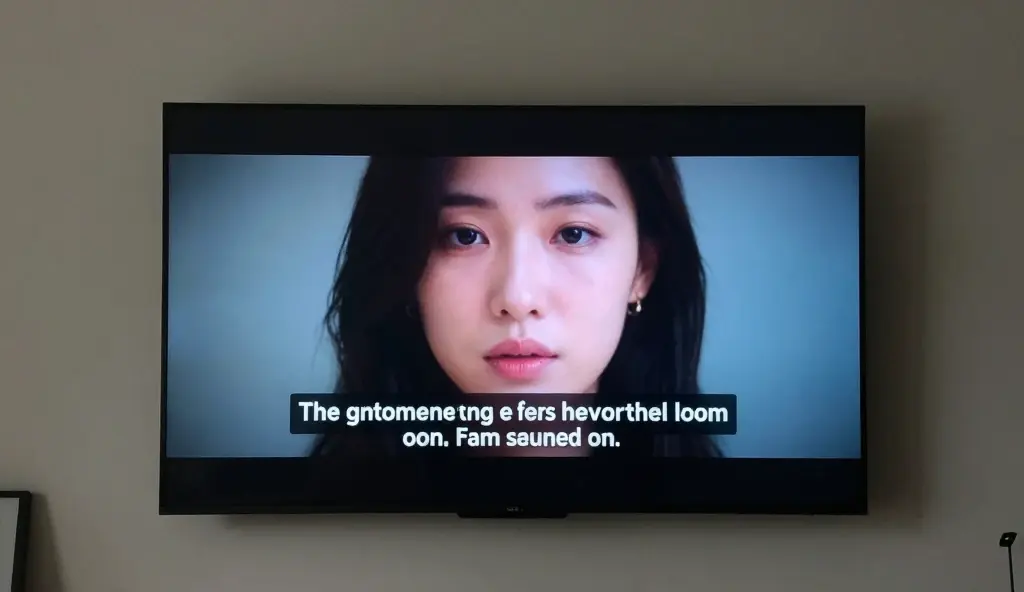
Closed caption meaning is simple. It helps people read the words and sounds in a video.
In 2026, many videos use closed captions, also called CC.
They show talking, sounds, and who is speaking.
People can turn them on or off anytime.
This is different from open captions, which always stay on the screen.
Closed captions help deaf and hard-of-hearing people enjoy videos.
They also help people who watch videos without sound on social media.
Closed captions work with special text files that match the video timing.
They make videos easier to understand and help more people enjoy online content.
Defining the Core Concept of Closed Captions
- Closed captions are text overlays that include all relevant audio information 📝
- The “closed” part means you have the power to turn them on or off 🔘
- They provide a literal transcript of every spoken word in real-time 🗣️
- Sound effects like [door slamming] or [eerie music] are included for context 🎭
- They differ from subtitles, which usually only translate spoken dialogue 🌍
- In the US, the FCC has strict regulations regarding their accuracy and timing ⚖️
- They are essential for people with hearing impairments to enjoy media 👂
- Captions appear as a separate data track within the video file container 📼
- They improve comprehension for those watching in their non-native language 📖
- Most streaming platforms use the “CC” icon to signify this feature 📺
- They help keep viewers engaged in loud environments like gyms or bars 🏋️
- Captions are used in live broadcasts, movies, and social media clips 📱
- They ensure your content is “silent-scroll” friendly on TikTok and Reels 🤫
- Closed captions are a major pillar of the Americans with Disabilities Act (ADA) 🇺🇸
- Modern AI now generates these captions with over 95% accuracy instantly 🤖
The Technical Difference Between CC and Subtitles
- Subtitles assume the viewer can hear but doesn’t understand the language 🗣️➡️📝
- Closed captions assume the viewer cannot hear and needs full audio context 🔇
- CC includes non-speech information like [thunder rumbles] or [heavy breathing] ⛈️
- Subtitles are generally purely focused on the translation of the script 🏮
- Closed captions identify who is speaking if there are multiple people off-screen 👥
- Subtitles are often used for foreign films to maintain the original audio 🍿
- CC is a requirement for most televised broadcasts in North America 📡
- Both appear at the bottom of the screen but serve different psychological needs 🧠
- Subtitles are often “hardcoded” more frequently than captions are 💻
- Closed captions are usually delivered via sidecar files like .SRT or .VTT 📁
- You can customize the font, size, and color of most closed captions 🎨
- Subtitles rarely describe the mood of the background music 🎶
- Closed captions must be perfectly synchronized to the millisecond ⏱️
- In 2026, many devices combine both into a “universal accessibility” setting ⚙️
- Understanding the distinction helps creators choose the right tool for their fans 🛠️
Why Closed Captions are Essential for Digital Accessibility
- They provide equal access to information for the 466 million people with hearing loss 🤟
- Captions help children and adults improve their literacy and reading skills 📚
- They allow neurodivergent individuals to process information more effectively 🧠
- Captions reduce the cognitive load when watching complex educational content 🎓
- They ensure legal compliance for government and educational institutions 🏛️
- Accessibility is a human right, and CC is the digital version of a ramp ♿
- Captions help elderly viewers who may have age-related hearing decline 👵
- They allow for a “multi-modal” learning experience (seeing and hearing) 🔄
- Captions make it possible to watch videos in sound-sensitive areas like libraries 🤫
- They help viewers follow along with speakers who have strong accents 🗣️
- Captions prevent “media exclusion” in global online communities 🌐
- They are a standard feature in all 2026 virtual and augmented reality sets 🕶️
- Accessibility improves the overall user experience for everyone, not just the disabled 📈
- Closed captions enable the use of search-within-video features 🔍
- Without CC, millions of people are locked out of the cultural conversation 🔓
How Search Engines Crawl Caption Data for SEO
- Google and YouTube “read” caption files to understand video content 🕵️♂️
- Keywords found in your CC help your video rank for specific search terms 🔑
- Captions provide a text-based map of your video for AI search engines 🗺️
- They increase the “dwell time” as people watch videos longer with text ⏳
- Captions make your content more likely to appear in “featured snippets” 🏆
- They help search engines index long-form videos more accurately 📑
- Automated AI captions are good, but manual CC is better for ranking 🛠️
- Caption files act as a secondary source of metadata for your channel 📊
- They improve the click-through rate (CTR) on social media previews 🖱️
- Search engines prioritize accessible content in their 2026 algorithms 🤖
- Captions provide “semantic context” that helps AI categorize your niche 🧠
- Translated captions (CC) help you rank in international search results 🌏
- The more text data you provide, the easier it is for the bot to trust your site ✅
- Captions help your video show up in Google “Key Moments” timestamps 📍
- SEO is about clarity, and nothing is clearer than a well-written caption 💎
The Evolution of Closed Captions from 1972 to 2026

- The first captioned show was The French Chef on PBS in 1972 🍳
- Early captions required a bulky external decoder box to view 📺
- The Television Decoder Circuitry Act of 1990 made CC standard in all TVs 🔌
- Captions moved from analog “Line 21” technology to digital HD formats 💿
- The rise of YouTube in the 2000s brought automated speech-to-text 💻
- Netflix popularized the “always-on” captioning culture for binge-watching 🍿
- In 2026, AI-driven captions have zero-latency for live events ⚡
- Real-time translation CC now allows you to watch a Japanese stream in English 🇯🇵➡️🇺🇸
- Captions have evolved from blocky white text to stylish, custom overlays 💅
- We now have “Live Captions” built into operating systems like Android and iOS 📲
- The 2010 CVAA expanded captioning requirements to the internet 🌐
- Captions are now used more by people who can hear than those who can’t 🤯
- Captions have become a stylistic choice in “Gen Alpha” editing 🎨
- Automatic punctuation and casing are now the standard for AI captions ✍️
- We have moved from “compliance only” to “user-first” captioning design 💖
Understanding the Different Caption File Formats
- .SRT (SubRip) is the most common and widely supported file type 📁
- .VTT (WebVTT) is the gold standard for HTML5 web video players 🌐
- .SCC (Scenarist) is used heavily in broadcast and DVD production 📀
- .TTML (Timed Text Markup Language) is used by major streaming services 📺
- .CAP files are often used in specialized legacy broadcasting suites 📻
- .STL is a common format used across Europe for teletext 🇪🇺
- XML-based formats allow for complex styling and positioning 🛠️
- Some formats allow for “forced narrative” captions that only show up for signs 🛑
- Embedded captions live inside the video bitstream itself 🧬
- Sidecar files are uploaded separately and are better for SEO crawling 📈
- JSON formats are becoming popular for interactive web applications 💻
- Choosing the wrong format can lead to “broken” or missing text on mobile 📱
- Most social media platforms prefer .SRT for its simplicity ☁️
- The 2026 standard for VR is spatialized 3D captions that move with the sound 🕶️
- Converters make it easy to swap between these formats in seconds 🔄
The Psychological Impact of Watching with Captions
- Captions improve focus and help minimize distractions while watching 🎯
- They allow for better “memory encoding” of names and technical terms 🧠
- Viewers report feeling more “immersed” in the story when reading along 🌊
- They help reduce the stress of missing dialogue in loud action scenes 💥
- Captions create a “reading habit” that can increase overall literacy rates 📖
- They help the brain process information through two channels simultaneously ✌️
- “Caption dependency” is a growing trend where users can’t watch without them 📺
- They allow for a more relaxed viewing experience in low-volume settings 🛋️
- Captions help viewers catch subtle “easter eggs” in the dialogue 🥚
- They reduce the frustration of mumbling actors or poor audio mixing 🎭
- Reading captions can help maintain attention for those with ADHD 🌀
- They make “active listening” much easier during long lectures 🎓
- Captions provide a sense of security that you aren’t missing the plot 🔐
- They bridge the gap between auditory processing and visual logic 🌉
- Captions make foreign culture and slang more accessible and understandable 🗽
Real-Time vs. Post-Production Closed Captions
- Real-time captions are created for live news, sports, and events 🎙️
- They often have a slight delay of 3–5 seconds due to the human factor ⏱️
- Post-production captions are crafted after filming is complete 🎬
- Offline captions are much more accurate because they can be edited ✍️
- Live stenographers use “stenotype” machines to type at 200+ WPM ⌨️
- AI-powered live captioning is now the standard for 2026 webinars 🤖
- Post-production allows for perfect placement to avoid covering faces 👤
- Live captions often use a “scrolling” or “roll-up” format 📜
- Offline captions usually use “pop-on” text for a cleaner look ✨
- The cost of live captioning is significantly higher than automated tools 💰
- Errors in live captioning often lead to viral “funny fail” moments 😂
- Post-production allows for multi-language “dub-titles” synchronization 🌐
- Real-time captions are crucial for emergency weather broadcasts 🌪️
- Professional captioners ensure that speaker changes are clearly marked >> 👥
- A mix of both is used for major hybrid events in the corporate world 🏢
How to Enable Closed Captions on Popular Platforms
- YouTube: Click the “CC” icon at the bottom right of the player 📺
- Netflix: Select the “Dialog” bubble in the navigation bar 💬
- TikTok: Look for the “Captions” sticker or toggle in the video settings 📱
- Instagram: Captions are often found under “Advanced Settings” during upload 📸
- Zoom/Teams: Click “Live Captions” in the meeting controls menu 💻
- iPhone: Go to Settings > Accessibility > Subtitles & Captioning 🍏
- Android: Go to Settings > Accessibility > Live Caption 🤖
- Hulu/Disney+: Use the gear icon to customize caption appearance ⚙️
- Prime Video: Use the “Subtitles” menu in the top right corner 📦
- Facebook: Click the “C” icon on any video in your feed 👥
- Twitch: Look for the “CC” button on supported live streams 🎮
- X (Twitter): Captions appear automatically if the video has a sidecar file 🐦
- Roku/Apple TV: Use the remote to swipe down for the audio menu 🕹️
- Smart TVs: Usually accessible via the “Settings” or “Info” button 📺
- Web Browsers: Chrome now has a “Live Caption” feature for all audio 🌐
Best Practices for Creating Professional Captions
- Keep your text to a maximum of two lines per frame 📏
- Each line should not exceed 32 characters for readability ⌨️
- Ensure the text stays on screen long enough to be read naturally ⏳
- Always use a high-contrast color (white text on black background) ⚪⚫
- Identify speakers by name or description (e.g., [MICHAEL]) 🗣️
- Describe essential non-speech sounds like [music swells] 🎶
- Avoid covering important visual elements or faces with the text 🚫
- Synchronize the text to start exactly when the audio begins ⏱️
- Use standard punctuation to convey tone and pauses ✍️
- Maintain a 99% accuracy rate to ensure viewer trust ✅
- Be careful with line breaks; don’t split people’s names across lines ✂️
- Check for “homophones”—words that sound the same but are spelled differently 👂
- Use “verbatim” captioning for legal or medical content 🏥
- Allow for “clean” captioning in entertainment (removing “um” and “uh”) ✨
- Always preview your CC file on mobile devices before publishing 📱
Common Misconceptions About Closed Captions
- Myth: “Captions are only for the deaf.” Fact: 80% of users use them for focus 🤫
- Myth: “Auto-captions are perfect.” Fact: They still fail with jargon and names 🤖
- Myth: “Captions distract the viewer.” Fact: They actually increase engagement 📈
- Myth: “Subtitles and CC are the same.” Fact: They have different technical goals 🛠️
- Myth: “Captions are too expensive.” Fact: AI has made them nearly free 💸
- Myth: “You don’t need captions for social media.” Fact: Most people watch on mute 🔇
- Myth: “Open captions are better.” Fact: Closed captions give the user choice 🔘
- Myth: “Captions are a legal suggestion.” Fact: They are a legal requirement ⚖️
- Myth: “Captions ruin the cinematography.” Fact: Proper placement saves the shot 🎬
- Myth: “AI will replace human captioners.” Fact: Humans are needed for nuance 🧠
- Myth: “You can’t change how captions look.” Fact: Most devices allow customization 🎨
- Myth: “Captions make the file size huge.” Fact: Text files are tiny 📁
- Myth: “Captions are only in English.” Fact: CC supports almost every language 🌍
- Myth: “Live captions aren’t possible.” Fact: They happen every day on the news 📡
- Myth: “It’s okay to skip the sound effects.” Fact: Sound is 50% of the story 🎭
The Impact of AI on Captioning in 2026
- Neural networks now predict context to fix “misheard” words instantly 🧠
- AI can now detect the “mood” of music and describe it perfectly 🎵
- Auto-translation has reached “near-human” fluency in 100+ languages 🌍
- Voice cloning allows captions to be turned into “audio descriptions” 🎙️
- AI automatically positions text to avoid blocking faces using computer vision 👀
- Smart-formatting AI adds emojis to captions for Gen Z engagement 📱
- Live captions now feature “speaker separation” with 99.9% accuracy 👥
- AI tools can summarize 1-hour videos into 1-minute caption highlights ⏱️
- The cost of professional-grade captioning has dropped by 90% since 2022 📉
- AI now handles “forced narrative” for signs and background text 🛑
- Automatic “slang detection” keeps captions hip and relevant ✌️
- Real-time “profanity filtering” is a toggleable option for parents 🔞
- AI ensures compliance with international accessibility laws automatically ⚖️
- The 2026 “Universal Captioneer” works across all apps on your phone 📲
- Human-in-the-loop AI is the new standard for high-stakes media 🤝
Closed Captions for Business and Marketing
- Videos with captions have a 12% higher view time on average 📈
- They increase “Brand Recall” because people see and hear the name 🧠
- Captions make your ads accessible to people in offices and transit 🚌
- Social media algorithms favor videos that include caption data 📱
- They allow you to repurpose video content into blog posts easily ✍️
- Corporate training videos must have CC for HR compliance 🏢
- Captions help international clients understand your sales pitch 🌍
- They provide a “transcript” that can be used for legal records 📑
- Webinars with live CC have higher attendee retention rates 💻
- Captions make your content look more professional and polished ✨
- Using CC shows that your brand values inclusivity and diversity 🌈
- They help in “Content Discovery” via AI-driven internal search 🔍
- Captions can be used to highlight specific “Calls to Action” (CTAs) 📣
- They lower the “bounce rate” for educational or tutorial videos 📉
- In 2026, a business video without captions is considered “unfinished” 🚫
Legal Requirements: CVAA and ADA Standards
- The CVAA requires all internet video that aired on TV to be captioned 📡
- The ADA (Americans with Disabilities Act) covers “places of public accommodation” 🏛️
- Section 508 requires all federal agency electronic content to be accessible 🇺🇸
- Failure to provide CC can lead to massive lawsuits for major corporations ⚖️
- Educational institutions must provide CC for all student-facing videos 🎓
- The FCC sets the “Quality Standards” for accuracy and synchronicity ✅
- International laws like the EAA (European Accessibility Act) are now in force 🇪🇺
- Captions must be “non-obstructive” to meet legal requirements 🚫
- Accuracy must include proper spelling, grammar, and punctuation ✍️
- The “Completeness” standard means the entire video must be captioned 📼
- Legal standards apply to both “live” and “near-live” programming 📺
- Captions must be preserved when content is redistributed to new platforms 🔄
- User-generated content (UGC) is increasingly being scrutinized for CC 📱
- Accessibility audits are now a standard part of corporate tech stacks 🛠️
- Ignoring these laws in 2026 is a significant financial and reputational risk 🚩
DIY Tools for Generating Your Own Captions
- Rev.com provides human-level accuracy for a premium fee 💰
- Descript allows you to edit video by editing the text transcript ✂️
- CapCut is the #1 choice for “Gen Z” style auto-captions on mobile 📱
- Adobe Premiere Pro has a built-in “Text-to-Speech” engine 🎬
- YouTube Studio’s auto-editor is a great free starting point 💻
- Otter.ai is perfect for live-capturing meetings and lectures 🦦
- Handbrake can “burn in” captions if you need open captions 📼
- Subtitle Edit is a powerful open-source tool for professionals 🛠️
- Aegisub is the classic choice for fansubbing and styling 🏮
- Veed.io offers an easy web-based interface for social media CC 🌐
- Happy Scribe supports over 60 languages for global creators 🌍
- In-app TikTok “Auto Captions” are the fastest for short-form content ⚡
- Closed Caption Creator is a robust tool for broadcast standards 📡
- Subly is excellent for styling and branding your captions 🎨
- Google Docs can even act as a “Live Transcriber” in a pinch ✍️
Captions in Education and Language Learning
- Students who use captions perform better on reading comprehension tests 🎓
- Captions help ESL (English as a Second Language) learners match sounds to words 🗣️
- They are a lifesaver for students with Auditory Processing Disorder 👂
- Captions allow students to “search” a lecture for a specific topic 🔍
- They provide a “written record” that can be used for study notes 📝
- Captions encourage “active watching” rather than passive consumption 🧠
- They bridge the gap for students in rural areas with poor audio tech 📡
- Video-based learning is more effective when text reinforcement is present 📺
- Captions help students learn technical terminology in STEM subjects 🔬
- They allow for “Universal Design for Learning” (UDL) in classrooms 🏫
- Language apps like Duolingo use caption-style tech to teach 🦉
- Captions help kids with dyslexia focus on word structure 🧩
- They make “Global Classrooms” possible via real-time translation 🌐
- Educational podcasts are now being “video-fied” with captions for reach 🎙️
- In 2026, digital textbooks are fully integrated with captioned video 📚
The Future of Captions: 2026 and Beyond
- Holographic captions that float in 3D space for AR users 🕶️
- “Emotional Captions” that change font style based on the speaker’s tone 🎭
- Direct-to-brain text streaming for neural link users 🧠
- Captions that automatically translate into “Sign Language” avatars 🤟
- Hyper-personalized CC where the user chooses the “Slang Level” ✌️
- Captions that can be “clicked” to show definitions or Wikipedia entries 🖱️
- AI that identifies background songs and provides a link to Spotify 🎵
- Zero-latency captions for every live conversation in the world 🌎
- Captions that use “eye-tracking” to appear exactly where you are looking 👀
- Smart glasses that provide CC for real-life conversations (Live Translate) 👓
- Automatic “Summary Mode” captions for people in a hurry ⏱️
- Captions that adapt their reading speed to the viewer’s ability 🏃♀️
- The total disappearance of the “language barrier” through CC tech 🌉
- Captions as a primary data source for the global AI “World Model” 🤖
- A world where “silence” never means “lack of information” ✨
FAQs
1: What is the simplest definition of closed captioning?
A: Closed captions are words on a screen that show what people are saying in a video or TV show. People can turn them on or off whenever they want. They include not just dialogue, but also sound effects and speaker identification.
2: Why are they called “closed” captions?
A: Closed captions are called “closed” because the text stays hidden in the video. People can turn it on or off in their TV or device settings. This is the opposite of “open captions,” which are a permanent part of the video and cannot be removed.
3: Are closed captions and subtitles the same thing?
A: Not exactly. Subtitles show words at the bottom of the screen for people who can hear but do not understand the language. Closed captions also show sounds like music or a doorbell for people who cannot hear.
4: Do closed captions help with SEO?
A: Yes! Search engines like Google and YouTube cannot “watch” a video, but they can “read” the caption files. Adding captions gives your video text that search engines can read. This helps more people find your content in search results.
5: How do I turn on closed captions on my phone?
A: On most iPhones and Android devices, you can find this under Settings > Accessibility. Look for a section called “Captions” or “Subtitles.” “Most apps like YouTube and TikTok have a simple “CC” button on the video for captions.”
6: Are captions required by law in 2026?
A: Yes. Often, captions are required by law. In the United States, the ADA and CVAA say that many videos must have closed captions. This is important for TV shows, school videos, and government content.
Conclusion:
Closed captions help people read the words in a video. Long ago, they were mostly for people who could not hear well. Now, many people use them every day. Students, travelers, workers, and creators all use captions to understand videos better. In 2026, it will make captions smarter and faster. Closed captions help everyone enjoy and understand stories more easily.

Her unique style inspires short captions filled with emotion, depth, and poetic beauty.